Autumn and Thanksgiving box templates
Maple leaves, pinecones, acorns, apples and mushrooms for Thanksgiving, fall markets and teacher gifts.
- Thanksgiving table gifts
- fall craft fairs
- teacher appreciation
- woodland weddings
When to be ready: by late September; Thanksgiving is the fourth Thursday of November.
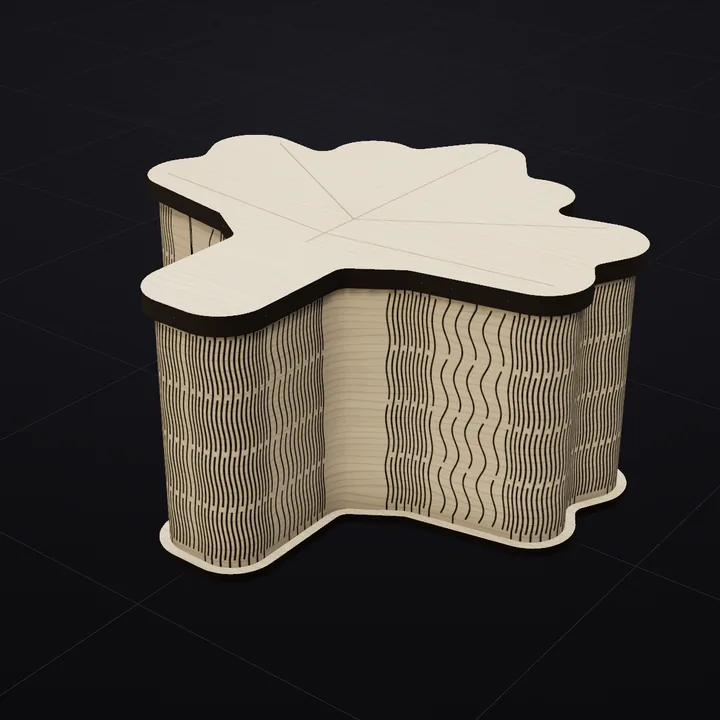 Maple Leaf
The shapes
5 shapes for Autumn and Thanksgiving
Each card opens the shape's page: what it is for, what the file contains at its suggested size, and a link that loads it in the Studio.


- Maple Leaf: Three lobes and a stem. Thanksgiving gifts, Canadian themes, fall wedding favors.
- Pinecone: A scaled oval cone. Woodland weddings, cabin décor, winter markets.
- Acorn: A cap on a nut. Baby showers (little acorns), fall teacher gifts.
- Apple: An apple with a stem and leaf. Teacher appreciation, back to school, orchard weddings.
- Mushroom: A dome cap on a thick stem. Cottagecore gifts, forager themes, fairy-garden kits.
Hinges that fit
Four hinge patterns for Autumn and Thanksgiving
Any of the 21 patterns works on any shape; these suit the look of this collection.


What people search for
Listing words for this collection
If you sell what you cut, these are the phrases shoppers type. Use them in your listing titles and Pinterest boards.
- fall laser cut box
- maple leaf box svg
- acorn box laser cut
Questions about the Autumn and Thanksgiving collection
How many of the Autumn and Thanksgiving shapes are free?
All 5 preview and fold free in the Studio; exporting their cut files needs Pro ($9 per month, $59 per year, $149 one-time), which covers all 100 shapes and 21 hinges. The Rounded Box, Curved Cylinder and Hexagon export free if you want to test your laser first.
When should I start cutting for the season?
By late September; Thanksgiving is the fourth Thursday of November. Shoppers search for seasonal gifts four to six weeks before the day, and marketplace listings take a couple of weeks to gain traction, so finished photos should be ready before the searches start.
Can I personalise them?
Yes. Every shape carries its own lid drawing on the score layer; add a name, date or monogram in your laser software on the same layer, or turn the lid art off for a plain lid you engrave yourself. Personalised boxes sell for noticeably more than plain ones.
Which file do I need for my laser?
SVG for LightBurn, xTool Creative Space, Glowforge and Inkscape; DXF for CAD and older cutters. Both are sized 1:1 in millimetres with separate cut and score layers.